


FRAMECAD Steelwise v1.3.0
165 $
FRAMECAD Steelwise is professional steel framing software for cold-formed steel (CFS) and light gauge steel (LGS) design. Detail walls, roof trusses, and floor joists from 2D plans or BIM models, run real-time engineering against local building codes, and export panel sheets plus machine-ready CNC/RFY files for FRAMECAD roll formers and Nexa. One CAD workflow from layout to fabrication—faster detailing, less waste, production-ready frames…
Description
FRAMECAD Steelwise 1.3.0 — Cold-Formed Steel Framing Design, Detailing & Engineering Software
Released 3 September 2026. The latest FRAMECAD Steelwise build is purpose-built CAD for cold-formed steel (CFS) and light gauge steel (LGS) — walls, roof trusses, and floor joists in one model, then out to panel sheets, engineering reports, Excel takeoffs, and machine files.
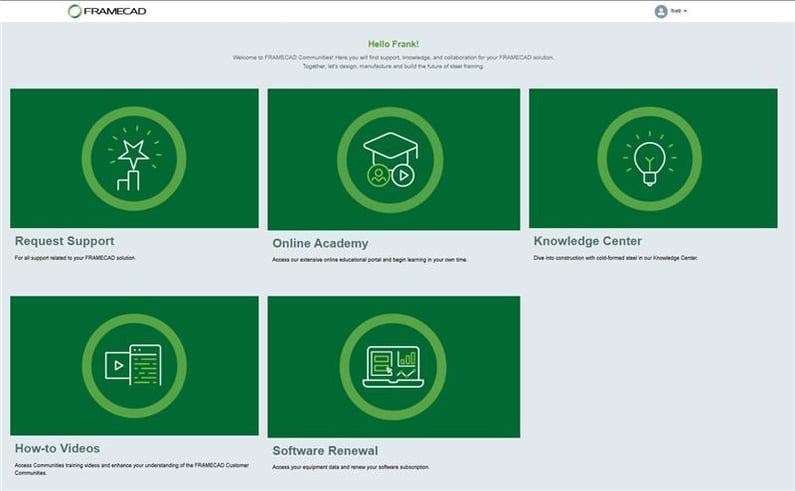
Official product branding appears on FRAMECAD.com and FRAMECAD Communities (green FRAMECAD wordmark). Below: Communities portal with the official header logo, plus Steelwise marketing with a 3D frame model.
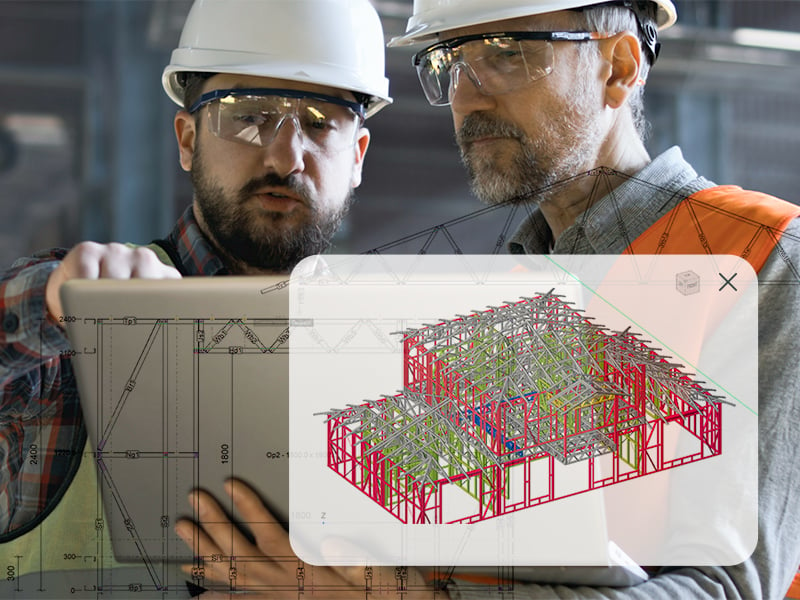
Steelwise is the successor to FRAMECAD Structure and FRAMECAD Detailer: one desktop app for detailers, engineers, and factory teams. License only the modules you need — Detail, Engineer, CAM, and Import — instead of buying a bloated all-in suite.
✨ What’s new in Steelwise 1.3.0
Version 1.3.0 is a production-facing release: cleaner shop-floor data, more codes, and fewer export surprises.
📊 Export to Excel (XLE)
Save a full job as .xlsx: material summaries, sticks, openings, and accessories. Useful for purchasing, quoting, and factory planning without re-keying CAD data.
🇵🇭 Philippines building codes
Adds NSCP C101-2015 loading and earthquake design. Steelwise already covers a wide set of global standards; this extends work for Philippine residential, commercial, and modular jobs.
🏷️ Stick IDs on detail sheets
Optional stick IDs in the materials list at the top of wall, truss, and joist detail sheets (Show Stick Label in PSET / TSET / JSET). Shop and site can match a printed ID to a rolled member.
🔀 Stick production order (ORD)
New ORD command lets you set the order sticks are produced — line-up for the roll former instead of default drawing order.
📁 RFD export via ACNC / CNC
Export RFD files through ACNC or CNC, alongside XML/CSV paths used for FRAMECAD machines and Nexa.

🛠️ Highlights of the Steelwise platform
Steelwise is an IntelliCAD-based Windows CAD app with a Steelwise ribbon, menus, and command-line aliases (VER, PSET, CNC, RFY, XLE, ORD). Typical workflow: import a plan → layout walls/roofs/floors → engineer → detail sheets → CNC/Nexa.
Detail faster — Import DXF/PDF, draw plans, auto-frame walls, trusses, and floors, then generate panel sheets and connections.
Engineer in the same file — Select a code, apply wind/snow/seismic and member loads, get frame-by-frame checks and reports (Engineer module; Detail required).
CAM to the machine — Tooling visualization, connection tooling, machine configs, export to Nexa or FRAMECAD machine files / RFY (CAM module; Detail required).
BIM exchange — Import 3D geometry and exchange framing with Revit, Strucsoft, and SolidWorks; IFC export for coordinated BIM (Import module).
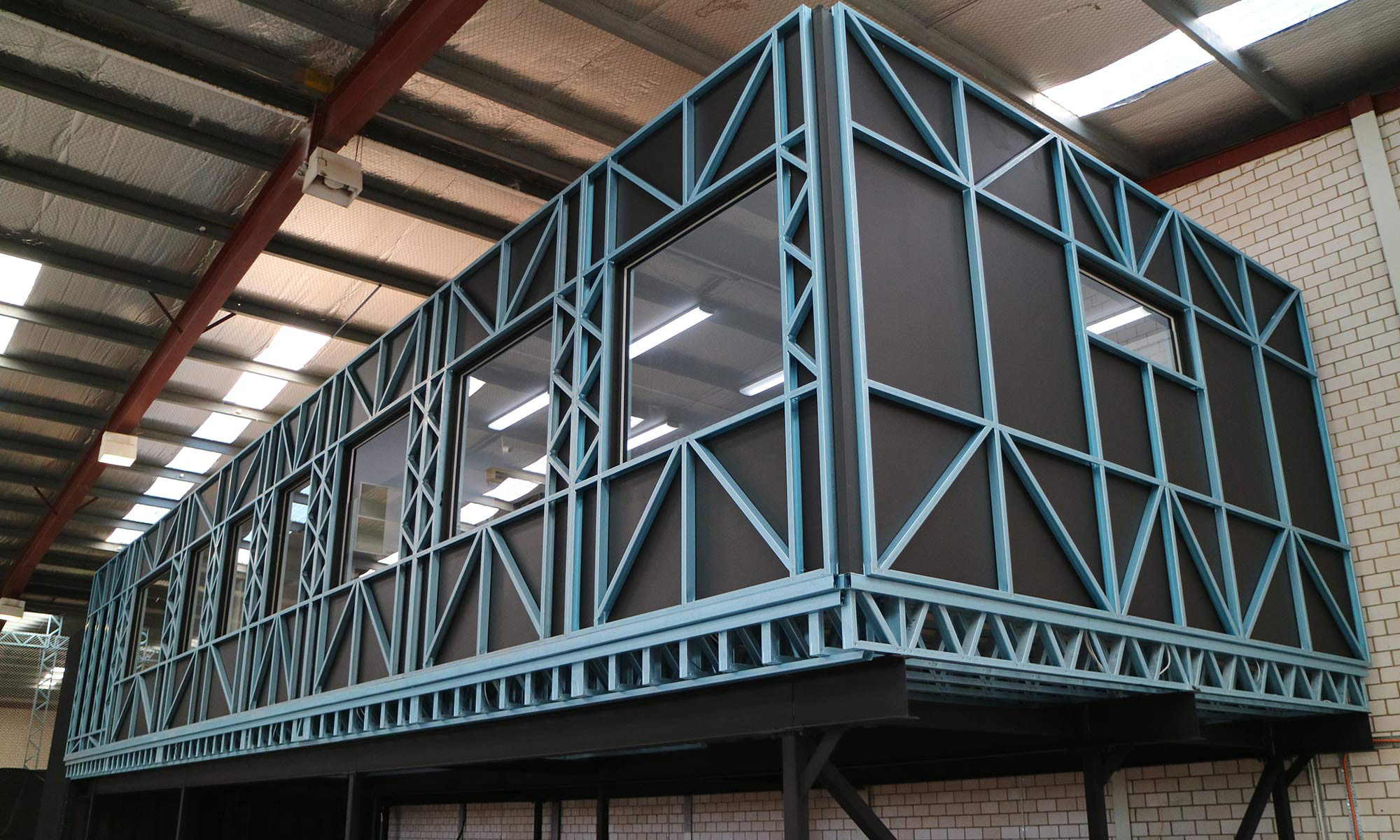
3D CAD framing model (project visualization) and assembled LGS trusses from the FRAMECAD ecosystem:
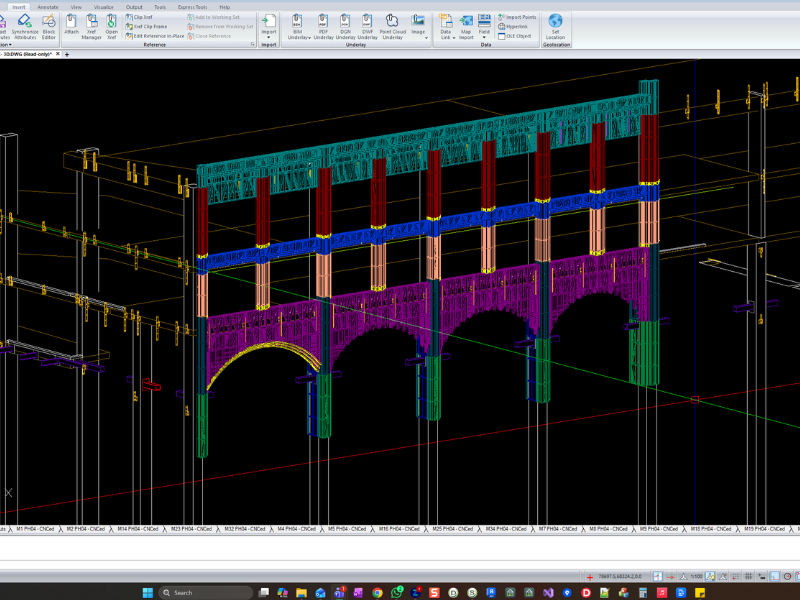
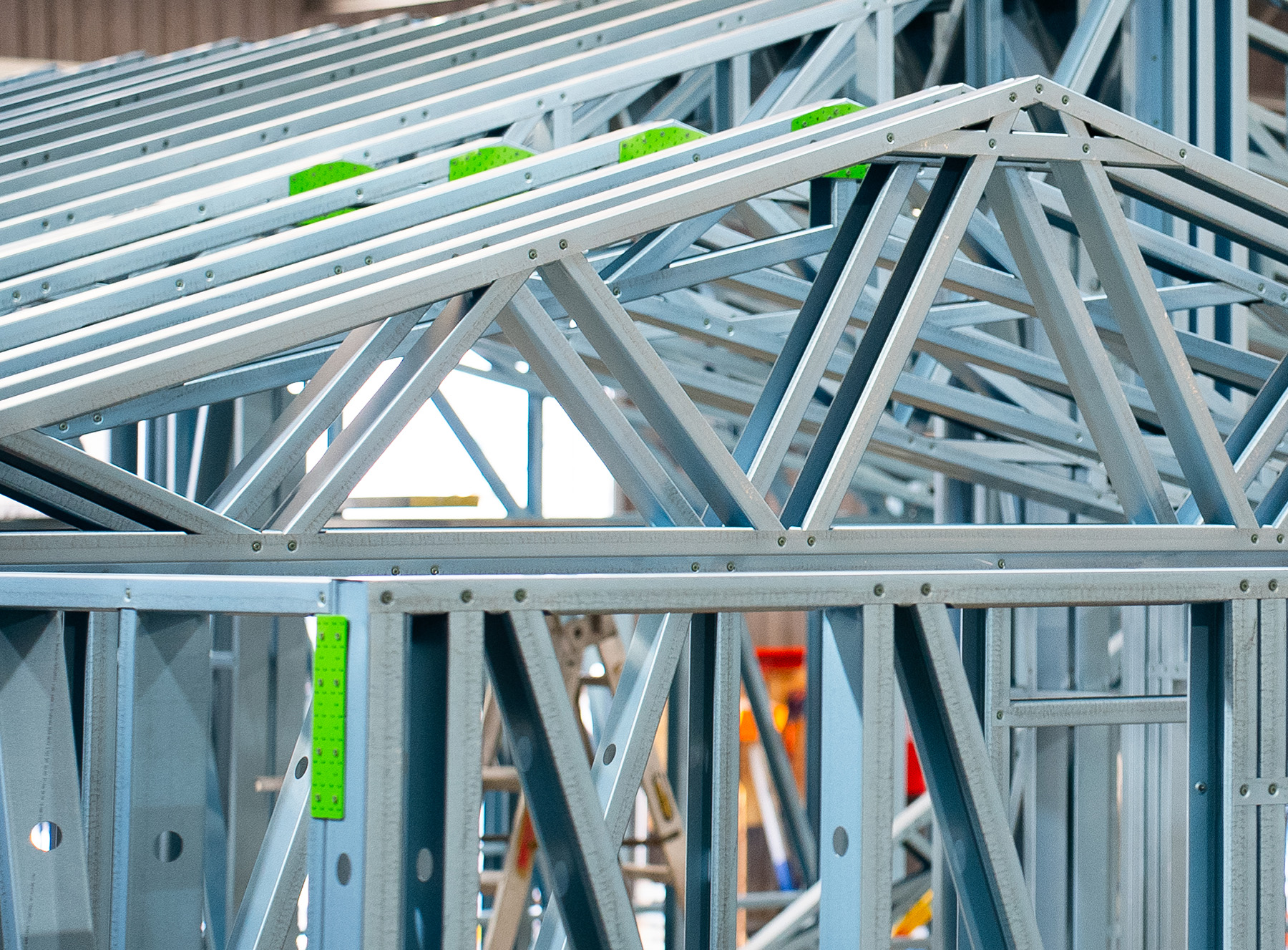
Also in daily use: automated detailing, CNC model generation, accessory/material reports, wall bracing and lateral-load tools, truss hold-downs, joist service-hole checks, inter-panel connectors, and live tooling for FRAMECAD roll formers.
Interesting fact: FRAMECAD positions steel framing as up to 50% faster on site, 0% waste to landfill from precise cut lengths, and 50+ trees saved per 2,500 sq ft house versus timber. Steelwise is the design link in that factory-to-site chain, used with FRAMECAD machines in 100+ countries.
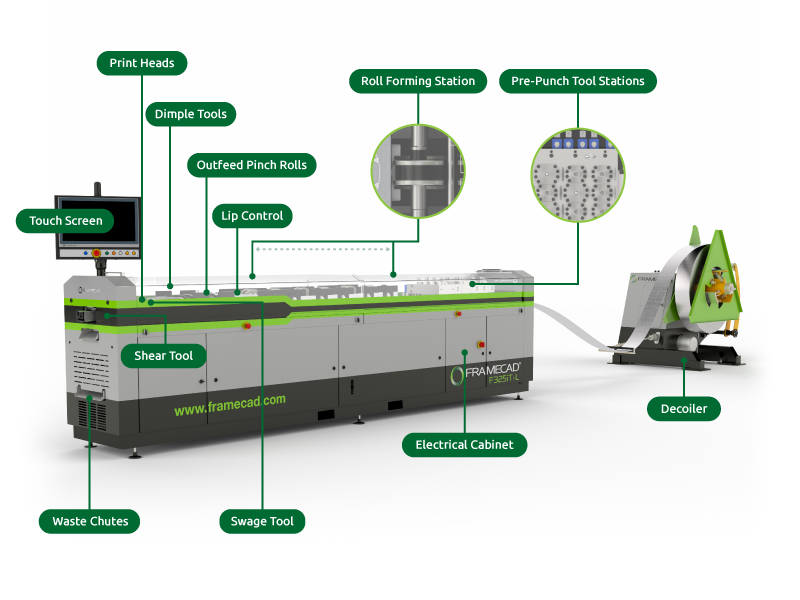
Modular volumetric unit and FRAMECAD roll former (F300-T style) that consume Steelwise production files:
Factory layout concept (trusses + roll former cell):
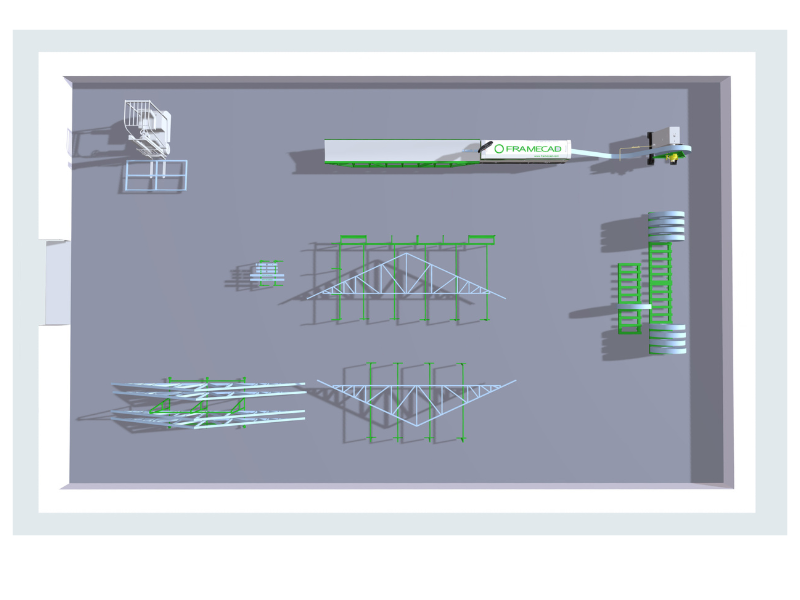
A Beginner’s Guide to Steel Frame Manufacturing: Factory Basics
🐛 Bug fixes in 1.3.0
Official release notes list these corrections (summary):
- Vertical web locations on some half truncated trusses
- Weight values in REP reports
- Walls intermittently missing from panel reaction plans
- FIM import: profile handling and truss quantity
- PPD “Show This Zone Only” filter button state
- MU at nog/stud intersections
- Excessive loads on wall panels and openings
- Slow ERASE of border items in Layouts
- IFC Export blocked from Layout/Detail spaces (use Model Space); mass unit now kg not grams
- Missing inputs for defined aluminium/timber openings in Imperial jobs
- Boxed-section moment capacity for North American codes
- Double girder exporting as a single truss
- Deflection-track slot vs flange hole alignment
- Roof/ceiling pitch no longer forced to integers
- Webs clashing stiffener plates on webbed beams
- CNC enabled again for boxing/reinforcing members on trusses and joists
- Tooling generation and CSV export issues
Full list: FRAMECAD Knowledge Hub → Steelwise release notes.
💻 System requirements
Official minimum / recommended (64-bit only):
| Item | Requirement |
|---|---|
| OS | Windows 10 or Windows 11 64-bit (genuine license) |
| CPU | Intel Core i7 or equivalent |
| RAM | 32 GB |
| Disk | 1 GB free + space for job files |
| Paths | Keep job names short; avoid deep folder trees |
Install path: C:\Program Files\FRAMECAD\FRAMECAD Steelwise
Data/libraries: C:\ProgramData\FRAMECAD\FRAMECAD Steelwise
Download: FRAMECAD Communities (licensed users). A 30-day trial activates on first install (trial typically excludes printing and RFY export). Check build with VER — quote Current IRX Version to support.
Mid-rise CFS on site — the kind of multi-level framing Steelwise is used to detail and engineer:
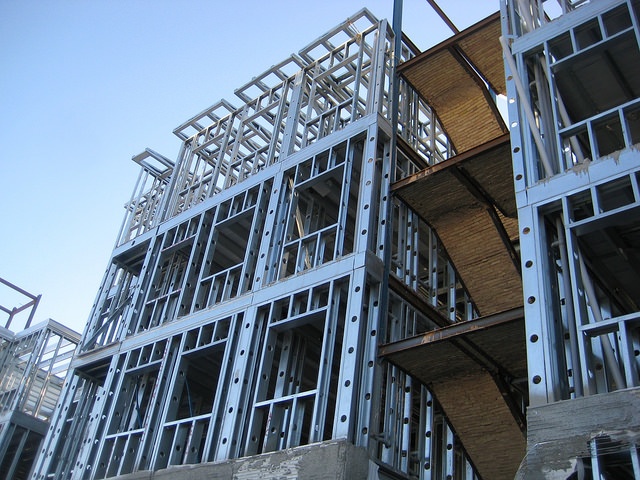
Accelerate Construction of Mid-Rise Buildings with Cold Formed Steel
📦 Who it’s for
- Detailers — layouts, smart panels, detail sheets, stick IDs, ORD production order
- Engineers — codes (now including Philippines NSCP C101-2015), loads, frame reports
- Manufacturers — CNC / RFY / RFD / Nexa, Excel (XLE) takeoffs, tooling
- BIM coordinators — Revit / Strucsoft / SolidWorks / IFC
Modules are sold separately (indicative USD/year on FRAMECAD’s site: Detail ~$2,000, Engineer ~$4,000, CAM ~$2,600, Import ~$1,100; taxes extra; volume/multi-year discounts). Engineer and CAM require Detail.
⭐⭐⭐⭐⭐ “One model from plan to roll former.”
We moved from split Structure/Detailer workflows onto Steelwise 1.3.0. XLE Excel export and stick IDs on sheets cut our purchasing and factory markup time. ORD production order matches how the line actually runs. Philippines code support and the RFD path matter for our mixed-region work. Still a serious Windows CAD tool — give it the recommended 32 GB RAM — but 1.3.0 is the most shop-ready Steelwise we’ve run.
— Sample professional review for WooCommerce (edit name/company before publishing)
Related products
-

GO2cam and GO2dental v6.11 cracked release
200 $ Add to cart Quick View -

Hexagon RADAN 2021 (cracked license)
160 $ Add to cart Quick View -

Camtek PEPS CAD/CAM System 2024 cracked release
150 $ Add to cart Quick View -

Ucamco UcamX v2023.12
120 $ Add to cart Quick View -

NCG Cam v19.0.9 cracked release
150 $ Add to cart Quick View -

CADmeister 2023 full cracked release
150 $ Add to cart Quick View -

CAMTOOL V19.1.2 cracked release
140 $ Add to cart Quick View -

HCL CAMWorks 2025 full cracked release
170 $ Add to cart Quick View -

OneCNC XR9 v74.93 full cracked version
160 $ Add to cart Quick View -

CGTech VERICUT 9.4.0.4 fully cracked release
170 $ Add to cart Quick View