



CEREC inLab CAD v22.5
200 $
CEREC inLab CAD by Dentsply Sirona is an advanced dental CAD/CAM design software created for modern digital dental laboratories. The software allows technicians to design a wide range of restorations including crowns, bridges, veneers, inlays, onlays, implant restorations, and full dentures with exceptional precision and efficiency. Powered by intelligent Biogeneric design technology, it automatically analyzes tooth morphology to generate accurate restoration proposals and significantly reduce manual design time. Fully integrated with the CEREC system digital dentistry workflow, inLab CAD supports open STL data exchange and seamless connectivity with scanners, milling machines, and 3D printers, enabling laboratories to streamline production, improve accuracy, and deliver high-quality dental restorations faster…
Description
🦷 CEREC inLab CAD 22.5 – Professional Dental CAD/CAM Design Software for Digital Dental Laboratories
CEREC inLab CAD 22.5 from Dentsply Sirona is a powerful and flexible dental CAD software designed for modern digital dental laboratories. Built as part of the advanced CEREC system ecosystem, this professional CAD platform enables dental technicians to design highly accurate restorations including crowns, bridges, veneers, implant restorations, surgical guides, and full dentures.
The inLab CAD 22 generation introduces significant workflow improvements, enhanced denture design capabilities, expanded material compatibility, and optimized device connectivity. With its intelligent design automation and open workflow architecture, inLab CAD 22.5 helps laboratories accelerate production, improve restoration accuracy, and streamline digital dental manufacturing.
Whether working with zirconia crowns, implant-supported restorations, or full digital dentures, the software provides powerful modeling tools that allow dental professionals to create natural-looking and functional restorations faster than traditional design methods.
🚀 New Functions in CEREC inLab CAD 22.5
The 22.5 release introduces several practical improvements that enhance productivity and simplify digital dental design workflows.
🧩 T-Bar Reinforcement Design Tool
A new T-Bar reinforcement feature has been added to strengthen 3D printed restorations and denture bases. Technicians can manually place reinforcement bars or use automated suggestions to prevent deformation during printing and post-processing. This tool improves structural stability, especially in complex denture designs.
🦷 Enhanced Digital Denture Workflows
inLab CAD 22.5 expands the capabilities of digital denture production with improved modeling tools for gingiva shapes and denture bases. The update allows technicians to design more natural and comfortable prosthetics while reducing manual finishing work.
🎨 Expanded Material Support
The update introduces compatibility with additional dental materials including new zirconia and ceramic blocks, enabling laboratories to produce restorations with improved strength, durability, and aesthetics.
🔗 Improved Device Integration
Better synchronization with milling machines, sintering furnaces, and other CAD/CAM equipment ensures smoother communication between design and production stages. These improvements allow dental labs to maintain a consistent and reliable digital workflow.
⭐ Key Highlights of CEREC inLab CAD 22 Platform
🧠 Intelligent Biogeneric Restoration Design
The software uses advanced Biogeneric algorithms to analyze surrounding teeth and automatically generate anatomically correct restorations. This feature significantly reduces manual modeling and ensures natural occlusion and morphology.
🦷 Wide Range of Restoration Types
Technicians can design numerous dental restorations including:
- Crowns and bridges
- Inlays and onlays
- Veneers
- Implant abutments
- Surgical guides
- Digital dentures
- Splints and bite guards
This versatility makes inLab CAD one of the most complete dental CAD solutions available.
🏭 Full Digital Laboratory Workflow
The software seamlessly integrates with scanning devices, milling machines, and 3D printers. This enables dental laboratories to create a fully digital workflow from scanning to manufacturing.
🔄 Open STL File Workflow
inLab CAD supports STL import and export, allowing laboratories to work with third-party scanners and production equipment while still benefiting from the powerful design tools of the inLab platform.
⚡ High-Performance Design Engine
The optimized modeling engine in version 22.5 improves rendering performance and allows technicians to work with complex dental cases smoothly and efficiently.
🖥 System Requirements
For optimal performance, the following hardware configuration is recommended for CEREC inLab CAD 22.5.
💻 Operating System
- Windows 10 (64-bit)
- Windows 11 (64-bit)
⚙ Processor
- Intel Core i7 / Intel Core i9
- AMD Ryzen equivalent or better
🧠 Memory (RAM)
- Minimum: 16 GB
- Recommended: 32 GB
🎮 Graphics Card
- Dedicated GPU with hardware acceleration support
💾 Storage
- Solid State Drive (SSD) recommended
- At least 20–30 GB free space
🖥 Display
- Full HD (1920×1080) or higher resolution
🔌 Additional Requirements
- Valid inLab CAD license with Basis module
- Compatible dental scanner or STL file import.
🛠 Bug Fixes and Performance Improvements
The inLab CAD 22.5 update also focuses on improving system stability and design efficiency.
✔ Improved workflow stability
Better handling of large and complex dental cases ensures smoother performance during modeling and editing.
✔ Enhanced device compatibility
Communication between CAD software and connected milling machines or furnaces has been optimized to reduce errors during production.
✔ User interface refinements
Several minor graphical interface issues have been corrected, improving usability and navigation.
✔ Performance optimizations
Design calculations and rendering operations are now faster, helping technicians complete restorations more quickly.
💡 Interesting Facts About CEREC Digital Dentistry
🕒 More than 35 years of innovation
The CEREC digital dentistry platform has been evolving for more than three decades, making it one of the most established CAD/CAM technologies in the dental industry.
🌐 Global dental laboratory standard
Thousands of dental laboratories worldwide rely on inLab software for the digital design and production of restorations.
🖨 Supports both milling and 3D printing
inLab CAD allows technicians to manufacture restorations using subtractive milling or additive manufacturing, giving laboratories more flexibility in production.
🧬 Natural tooth morphology
The Biogeneric design technology analyzes existing teeth and automatically generates restoration shapes that closely mimic natural anatomy.
🎯 Why Choose CEREC inLab CAD 22.5?
✔ Advanced dental CAD design tools
✔ Faster restoration design with intelligent automation
✔ Seamless integration with CAD/CAM production equipment
✔ Open STL workflow for flexible laboratory environments
✔ Optimized performance for complex dental cases
✔ Continuous innovation from Dentsply Sirona
🦷 Conclusion
CEREC inLab CAD 22.5 is a powerful and comprehensive dental CAD solution that enables laboratories to fully embrace digital dentistry. With its advanced restoration design capabilities, improved denture workflows, expanded material support, and optimized device connectivity, the software provides everything modern dental labs need to produce precise and high-quality restorations efficiently.
For dental professionals seeking a reliable, scalable, and high-performance CAD/CAM dental design platform, inLab CAD 22.5 delivers cutting-edge technology that enhances productivity and ensures exceptional clinical results.
⭐⭐⭐⭐⭐
As a developer working closely with digital dentistry workflows, I have been genuinely impressed with the performance and reliability of CEREC inLab CAD 22.5 from Dentsply Sirona. The software delivers a powerful combination of advanced dental CAD tools, intelligent Biogeneric design technology, and a highly optimized interface that significantly speeds up restoration modeling. Designing crowns, bridges, and implant restorations feels smooth and precise, and the integration with the CEREC system ecosystem makes the entire CAD/CAM workflow incredibly efficient for modern dental laboratories.
What stands out most is how well CEREC inLab CAD handles complex dental cases while maintaining stability and performance. The digital denture workflow improvements, expanded material support, and open STL compatibility make it an excellent choice for laboratories looking to scale their digital production. From a developer and technical user perspective, this software represents one of the most advanced and reliable dental CAD solutions currently available in the digital dentistry market.
Related products
-

CEREC inLab CAM v22.8
200 $ Add to cart Quick View -
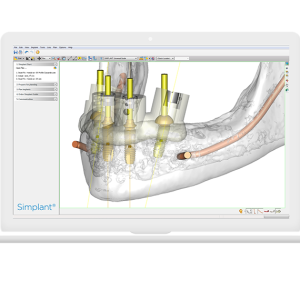
Simplant Pro
200 $ Add to cart Quick View -

Dolphin Imaging 12 full cracked version
170 $ Add to cart Quick View -

Blue Sky Plan 5.0 with unlimited STL Exports
250 $ Add to cart Quick View -
coDiagnostiX 10.8.1 full cracked version released
180 $ Add to cart Quick View -
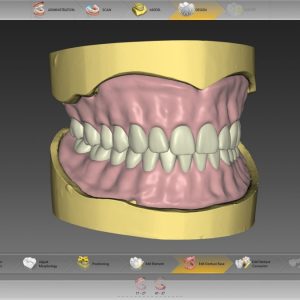
inLab SW 20.0 cracked license software
200 $ Add to cart Quick View -

PartialCAD 3.2 Elefsina
200 $ Add to cart Quick View -
Blue Sky Plan 4.13.35.1 cracked version with unlimited STL Exports
200 $ Add to cart Quick View